paper-collage-motion-workflow
Turn a supplied video plus transcript or 逐字稿 into review-gated handmade paper-collage motion graphics. Analyze spoken meaning and on-screen context, select only useful visual emphasis, classify each b
SKILL.mdpaper-collage-motion-workflow/SKILL.md
GitHubPaper Collage Motion Workflow
Build content-led paper-collage visuals through three mandatory approval gates. Keep the source video, speech, and approved edit unchanged unless the user separately authorizes integration.
Load references
- Read references/decision-rules.md before analyzing a transcript or assigning a visual structure.
- Read references/review-templates.md before producing any review table.
- Read references/image-motion-spec.md before generating images or animating approved images.
- Use the files in
assets/as style references, never as mandatory story objects.
Preserve invariants
- Choose visual emphasis from meaning, not fixed frequency.
- Do not generate graphics for ordinary transitions or explanations that are already clear.
- Keep each visual beat focused on one main idea.
- Keep the speaker footage and original voice untouched.
- Match facts, numbers, Chinese text, English labels, and timing to the current spoken content.
- Never insert film reels, projectors, cameras, or other reference objects unless the spoken meaning calls for them.
- Preserve prior versions; create
v02,v03, and later files instead of overwriting approved outputs. - Stop at every approval gate. Do not infer approval from silence or from approval of an earlier stage.
Stage 0: Inspect inputs
- Inspect video duration, dimensions, frame rate, audio, and visible subject placement.
- Align the supplied transcript to the current video timeline. If timing is absent, derive sentence- or word-level timing first.
- Treat the supplied video as read-only.
- Identify subtitle zones, face/body/gesture regions, and available graphic space.
Stage 1: Map visual beats
- Classify each meaningful passage: hook, claim, comparison, object, process, cause/effect, number, risk, result, CTA, transition, or ordinary explanation.
- Ask whether a graphic materially reduces comprehension cost or increases recall.
- Assign exactly one structure:
SINGLE: one obvious object or subject; use a contour-cut paper object.COLLAGE: multiple related objects, a process, comparison, causal relation, or abstract concept; use layered collage.NONE: a graphic would be decorative, repetitive, or less effective than the source footage.
- Produce the numbered confirmation table from
references/review-templates.md. - Include the proposed subject, short on-card copy, entry idea, reason, and status for every candidate.
Approval gate 1
Stop after the table. Generate no images until the user marks rows for image generation or gives equivalent explicit approval. Allow the user to add, delete, merge, rewrite, or change SINGLE/COLLAGE.
Stage 2: Generate static previews
- Generate only approved rows.
- Use the image-generation capability for raster artwork. Use the relevant approved asset as a style reference:
assets/simple-contour-cut-reference.pngforSINGLE.assets/complex-layered-collage-reference.pngandassets/complex-collage-cutout-reference.pngforCOLLAGE.
- Keep common visual DNA: deep navy graph paper, warm ivory rag paper, cyanotype/letterpress ink, subtle canvas tooth, paper fibers, restrained red-orange accents, and soft thickness shadows.
- For
SINGLE, cut close to the object's silhouette with only a narrow irregular paper margin. Do not place it on a rectangle, square, oval, or large white panel. - For
COLLAGE, use roughly 3–6 meaningful layers. Do not add unrelated props merely to make the image look rich. - Deliver:
- one chronological contact sheet mixing
SINGLEandCOLLAGE; - one full-resolution image per approved row;
- versioned filenames containing the structure type.
- one chronological contact sheet mixing
- Inspect every image for subject accuracy, unnecessary objects, edge quality, paper texture, readability, safe-zone fit, and style consistency.
Filename examples:
P01_COLLAGE_finished-video_static_v01.pngP02_SINGLE_robot_static_v01.png
Approval gate 2
Stop after static previews. Accept only approved, revise, or delete for each image. Do not animate a row until its static image is explicitly approved.
Stage 3: Plan and render motion review
- Build a motion timing table for approved images: entry, settle, spoken cue, internal reveal, hold, exit, and transition.
- Use different motion density by structure:
SINGLE: move as one paper object with a short slide, drop, reveal, or slight rotation; settle quickly and remain stable.COLLAGE: reveal background, relation layers, main subject, and label sequentially; keep every layer tied to the spoken logic.
- Use short travel distances, high damping, restrained rotation, and stable holds. Avoid simultaneous fast fly-ins, sudden scale changes, continuous drift, and late-frame flashes.
- Synchronize each reveal to the corresponding spoken word or idea; do not reveal future facts early.
- Render a review video before any final integration. Default to 1920×1080, 30 fps; use the spoken duration rather than forcing a fixed clip length.
- Verify first, middle, penultimate, and final frames for every beat, plus continuous late-frame sequences for flicker and blank frames.
- Verify encoding, dimensions, frame rate, duration, subtitle clearance, subject continuity, and asset presence.
Approval gate 3
Stop after the motion review. Integrate into a final video or editable editor draft only after explicit approval.
Stage 4: Optional final integration
If the user requests integration:
- Preserve the current master and create a new version.
- Keep speaker video, collage backgrounds, object cutouts, editable text, subtitles, sound effects, and music on separate logical or editor tracks where the target workflow supports it.
- Verify the result in the real player, not only by inspecting project structure.
- Deliver the final preview, editable project when requested, timing table, asset folder, and QA report.
Completion criteria
Declare the workflow complete only when the requested stage is delivered and verified. If the user asks only for the confirmation table or static previews, stop there and report that later stages remain intentionally unexecuted.
Visual examples
Torn-paper transition from the case-study motion review:

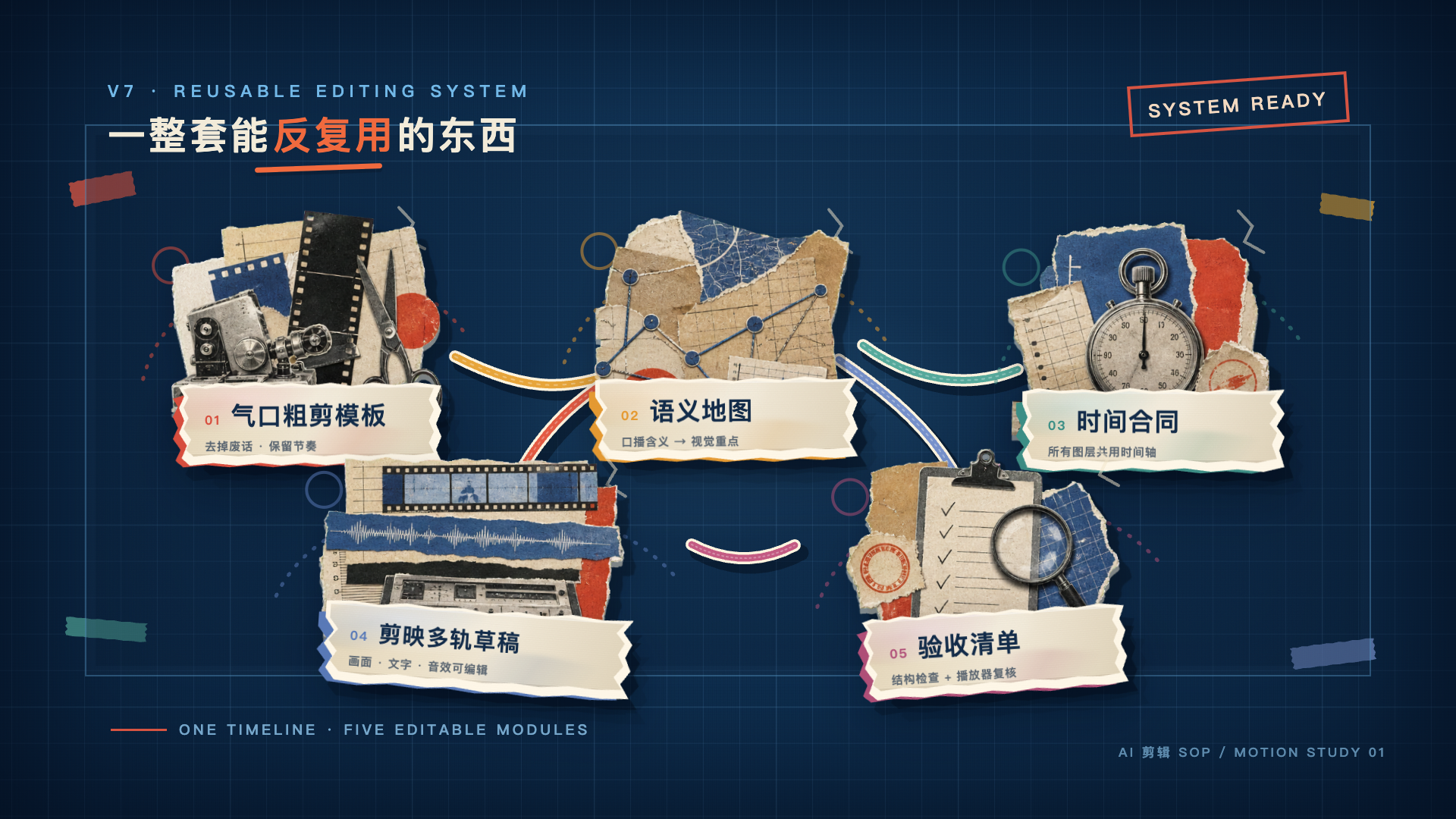
Completed layered-collage system from the same review: